
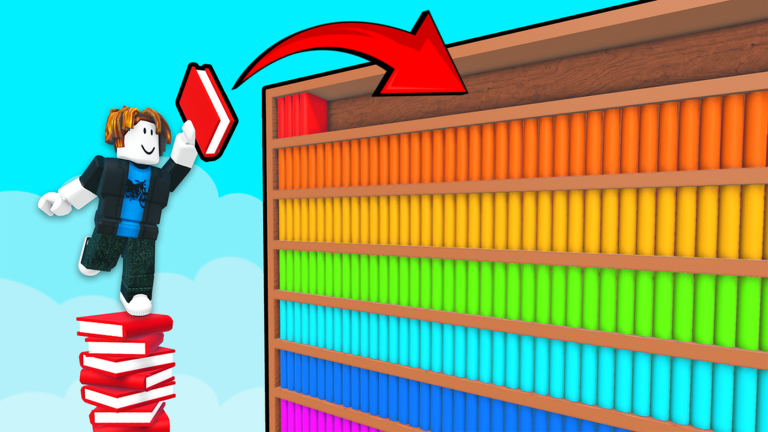
Badges & Achievements
Community completion percentages cited (the wiki notes some figures are sourced in part from Rolimon data):
| Badge | Approx. completion | Notes |
|---|---|---|
| Welcome To the Library | 100% (automatic) | Granted on join |
| Getting Started | ~36% | Real first progress milestone |
| Clean The Library (full clear) | ~8.7% | Both floors at 100%, all sections shelved |
| 1 Hour (speed) | ~3.2% | Hardest realistic speed target without heavy investment |
| 2 Hours (speed) | ~3.5% | |
| 3 Hours (speed) | ~4.3% | Realistic free-player speed target |
| No Magic Needed | ~0.0% | Rarest badge in the game; see Section 12 |
Carry Capacity & Inventory
- Carry capacity is increased via keys: Golden Diamond (+3 carry) and Azure Star (+2 carry), or substituted via Robux gamepasses.
- Use scroll wheel (PC) or LT (controller) to cycle through a stack of held books so the top book matches your current delivery target.
- Avoid holding more books than your carry capacity comfortably allows without a sorting plan.
Co-op Strategy
- Clean The Library supports both public drop-in co-op and private friend servers; roles are not assigned automatically.
- Suggested 4-player role split:
- Sort specialist — runs Assemble + Sort magic.
- Courier — max carry keys + Emerald Club sprint, focused purely on delivery.
- Key hunter — explores for keys during cooldown windows.
- Insight auditor — quality control on completed aisles.
- In 3-player teams, the auditor role merges into the courier role.
- Keys are per-account; assign one key hunter to avoid duplicated effort.
- Recommended opening move: have one experienced player announce hub rules in the first 60 seconds of a session (single hub pile location, no scattered mini-dumps).
- Late-game floor split: two players upstairs on 2A–2Q, two auditing downstairs on 1A–1N.
- Communication guidance:
- Use section codes, not just colors, when calling out books ("2G Engineering batch incoming," not "blue batch") since the same color can appear in multiple wings.
- Minimum callouts: Sort activation, wing target, ambiguous-spine hold, key-hunt status.
- On mobile/text-only squads, use short codes: "HUB", "2G GO", "SORT NOW".
- Call out "shelving row" before Auto-Shelving to avoid two players causing a stuck-shelf collision on the same row.
- Common pitfalls: duplicate Sort casts on the same pile (wastes both cooldowns); toxic/mixed-color dumping at the wrong wing (creates rework for the whole server); competing key hunters; un-announced simultaneous Auto-Shelving drops.
- Handling a disruptive mid-run joiner: pause major Auto-Shelving until they acknowledge hub rules, or relocate your batch away from the entrance pile.
Controls
- PC: E or left-click = pick up/place; Q = drop; scroll wheel = cycle stacked books; right-click = zoom spines.
- Controller: RT = pickup; B/Circle = drop; LT = cycle; D-Pad = abilities (once unlocked).
- Mobile: on-screen buttons mirroring the same actions.
- Bindings don't always match other Roblox sorting games, so check the controls hub if switching platforms mid-session.
Full Library Walkthrough (Phased Plan)
The full Clean The Library badge (~8.7% completion) requires both floors shelved, both floors Insight-clean, all four keys collected, and progress at 100%. The wiki breaks this into four phases, pausable between sessions thanks to floor-save persistence:
- Phase 1 — First floor learning (1A–1N): establish hub pile discipline, earn Getting Started badge, unlock Assemble and Sort, collect Golden Diamond and Azure Star keys during natural sorting loops.
- Phase 2 — Movement completion: collect Crimson Octagon (jump) and Emerald Club (sprint) to finish the mobility kit, using the key collection route rather than random exploration.
- Phase 3 — Second floor push (2A–2Q): deploy Insight at wing checkpoints, Shelf Guide for palette overlap, Auto-Shelving only on pure section batches. Hint pool budgeting matters most here.
- Phase 4 — Final audit: run Insight on both floors, fix any stuck rows, confirm 100% progress, and claim the Clean badge.
Pre-claim checklist: all four keys collected, all five major magic abilities unlocked and used at least once appropriately, both floors Insight-clean, zero floating hub dumps, progress bar at 100%. A single misfiled 2Q oddball can block the badge silently.
Multi-day play tip: end each session with a clean hub audit rather than a scattered dump — shelve what you can, leave only one consolidated pile at the entrance, and note which wing to open next.
Getting Started (First Session)
- The Welcome badge fires automatically on join; the Getting Started badge (~36% community completion) marks the first real milestone beyond that, usually earned within an hour by players who stick with the loop.
- Treat the library like a warehouse, not a trash heap: keep one central hub pile near the entrance instead of scattering mini-piles.
- A successful first session doesn't require clearing the whole library — a few dozen accurate shelvings, unlocking Assemble and Sort if milestones permit, and memorizing 3–5 common section colors is a solid target.
- The June 2026 update added persistent floor saves: dropped books now stay on the floor between sessions instead of resetting, which reduces panic from mis-drops but can let clutter snowball if mixed piles aren't sorted.
- A developer-promised promotional code is tied to reaching 50,000 Roblox likes (raised from an earlier 20,000-like target in the June 2026 description update). No such code is confirmed active.
Hint System (H Key)
- Press H on PC (HUD hint button on mobile) to reveal the correct shelf section for a targeted/held book.
- Hints draw from a finite pool that replenishes through normal progression — cannot be spammed indefinitely.
- Hints cost hint-pool charges; Shelf Guide magic achieves a similar result but costs ability cooldown instead.
- Usage discipline: use hints only on genuine edge cases (e.g., 2C vs 2K purples) — not on obvious first-floor colors after significant playtime.
- Common mistake: burning the hint pool entirely on the first floor, leaving the player "blind" for the harder second-floor color overlaps. Cap first-floor hint use and save the pool for 2A–2Q.
- Gamepasses (Unlimited Magic, Head Start) do not refill or expand the hint pool.
- Suggested manual troubleshooting order before using a hint: (1) zoom the spine and read all visible text, (2) compare color to the nearest wing's overhead code, (3) use a hint if still ambiguous, (4) trust an unusual result like 2Q Miscellaneous if that's what the hint returns.
Keys
Four permanent, account-bound upgrades found via exploration (not gated by paywalls):
| Key | Effect | Gamepass alternative |
|---|---|---|
| Golden Diamond | +3 carry capacity (highest early-impact pickup) | — |
| Azure Star | +2 carry capacity (stacks with Golden Diamond) | — |
| Crimson Octagon | Increased jump height (for elevated platforms) | Max Jump (29 R$) |
| Emerald Club | Sprint speed (for long delivery routes) | Max Speed (99 R$) |
- Keys are per-account, not shared in co-op — every player must collect their own full set.
- Recommended collection order for a balanced build: Golden Diamond → Azure Star → Crimson Octagon → Emerald Club. Speed-focused players sometimes prioritize Emerald Club earlier.
- All four keys can realistically be collected in a single normal session by gathering them opportunistically during sorting runs, rather than via a dedicated empty-server key hunt.
- In co-op, assign one key hunter to avoid duplicated exploration effort; the hunter peels off during Sort cooldowns while sorters maintain milestone progress.
- Scout elevated Crimson Octagon platforms with right-click zoom before attempting jumps — failed attempts waste more time than scouting.
Magic Abilities
Unlocked through shelving milestones (not purchased with Robux), in this recommended order:
- Assemble — pulls/consolidates scattered books into one cluster (essential after co-op dumps or field scatter).
- Sort — groups a held pile by color automatically; the highest-throughput ability.
- Insight — audits completed rows and highlights misfiles before errors compound. Best used at wing-completion checkpoints, not after every single book.
- Shelf Guide — navigates ambiguous spines without consuming hint pool (uses ability cooldown instead).
- Auto-Shelving — automatically places finished, pure-color row batches. Recommended to unlock last, since using it early on mixed piles causes stuck-shelf bugs.
Cooldown chain tips:
- Loop: Assemble on field scatter → Sort on hub pile → deliver batches during cooldown → repeat.
- Never cast Sort on a tiny (e.g., three-book) cluster — wastes cooldown.
- Never use Auto-Shelving on mixed-color batches — causes stuck books and false completion glows.
- In co-op, call out "Sorting" before casting Sort to avoid two players wasting cooldowns on the same pile.
Related gamepasses:
- Head Start — accelerates magic unlock timing (does not replace learning section codes).
- Unlimited Magic (999 R$) — removes cooldown gaps between casts; close to mandatory for serious 1-Hour speed badge attempts.
- Max Jump (29 R$) and Max Speed (99 R$) — substitute for the Crimson Octagon and Emerald Club key effects.
No Magic Challenge
- The No Magic Needed badge requires banning all major magic: Assemble, Sort, Insight, Shelf Guide, and Auto-Shelving. Manual pickup, physical color sorting, and walking deliveries only.
- H hints remain allowed under this challenge (they are not considered "major magic").
- All four keys are strongly recommended (especially Golden Diamond for carry and Emerald Club for sprint); carry/movement gamepasses are generally accepted by the community, but Unlimited Magic is considered to violate the challenge's spirit even though it wouldn't technically block the badge.
- "Color islands" (physical pre-sorting on the floor) are mandatory for this challenge, since there's no Sort ability to fix mixed dumps.
- Without Insight, misfiles stay hidden until manually noticed via missing glow or a stalled completion percentage.
- For strict/purist co-op attempts, any teammate casting magic is considered to invalidate the attempt, even if your own account never used magic.
- Expect a multi-hour time commitment exceeding even the 3-Hour speed badge's pace; schedule breaks roughly every 90 minutes, since fatigue-driven misfiles compound without Insight to catch them.
- Suggested prep: a 5-minute offline drill before each session — flashcard yourself on random titles from the shelf-sections reference and name their section codes aloud.
- Track hint usage hourly — burning more than five hints per floor per hour signals that offline study would save more time than continuing blindly.
Game Overview
Clean The Library (Roblox game ID 109881277752094) is made by Retro Library and StarMarine. It's a two-floor magical library where thousands of books lie scattered on floors, tables, and stair landings. The core loop: pick up a book, identify its shelf section, walk to the correct wing, and place it on the matching row. Joining automatically grants the "Welcome To the Library" badge. Co-op is fully supported on public servers; learning solo or with friends are both viable paths.
Shelf Sections & Book Identification
- Each shelf wing displays a section code: 1A–1N on the first floor, 2A–2Q on the second floor (31 total sections across two floors).
- Color is the primary identification signal:
- First floor: broad, distinct palettes — Horror (1A) dark red, Fantasy (1B) purple, Science (1D) blue.
- Second floor: subtler, easily confused palettes — e.g., Engineering (2G) steel blue vs. Advanced Magic (2I) deep blue.
- When color fails, read title keywords (e.g., "Vector Space Theory" → Science/1D; "Wi-Fi Configuration" → 2M).
- Hardest color pairs reported by the community: 2A vs 2G (blues), 2C vs 2K (purples), 1F vs 1E (pinks).
- 2Q (Miscellaneous) catches odd covers/titles that fit no clear theme.
- Right-click zoom (PC) lets you read spines closely before committing to a placement.
- Wrong placements may glow incorrectly or get flagged later by the Insight ability; if a book doesn't give a positive completion glow, pick it back up immediately rather than moving on.
Color Sorting Strategy
- Manual sorting = physically separating books by color on the hub floor before pickup; works even without magic.
- Magic-assisted sorting = Assemble (consolidate) + Sort (auto-group by color).
- Recommended hub workflow: dump → Assemble (if unlocked) → Sort → split into per-section batches → deliver in batches.
- Build "color islands" on the floor (reds together, blues together, etc.) as a manual/no-magic technique — this is mandatory for no-magic challenge runs.
- In co-op, assign color-family roles to different players (e.g., Player A handles reds/purples; Player B handles blues), plus optionally a dedicated courier with max carry + sprint.
- Common bottlenecks and fixes:
- Carrying too many unrelated colors → fix with more keys / smaller batches.
- Delivering one book at a time → fix by batching 5–10 same-wing books before each delivery sprint.
- Second-floor "palette shock" → fix by studying the 2A–2Q color list before ascending.
- Sort/Assemble order: Assemble first on scattered field dumps, then Sort on the consolidated hub pile — reversing this wastes Assemble's range on already-grouped stacks.
Speed Running
- Realistic free-player target is the 3-Hour badge with practice and co-op; the 1-Hour badge likely requires Unlimited Magic plus memorized section codes plus jump shortcuts.
- Speed should not come at the cost of placement accuracy — misfiles needing Insight rework are described as more damaging to a timed run than slow movement.
- Suggested practice method: log split times at first-floor completion, key-collection finish, and second-floor unlock across your first three timed attempts, to identify which single phase is actually slow (rather than assuming uniform slowness).
- Route guidance:
- First floor: batch-Sort by color at the hub, then deliver in geographic loops (avoid random wing-hopping that crosses the map repeatedly).
- Second floor: long circular 2A→2Q aisle loops, sprinting continuously between hub and wing mouths.
- Use Crimson Octagon jump shortcuts to skip stair animations between floor halves.
- Run Insight only at wing-completion checkpoints, not after every book.
- Gear checklist before a timed attempt: all four keys (or Max Jump + Max Speed gamepasses as a substitute), Sort prioritized, ideally Unlimited Magic. Gamepass budget priority: Unlimited Magic > Max Speed > Head Start.
- Collect keys during practice (non-timed) runs rather than learning routes and keys simultaneously on a live timed attempt.
- Do a full non-timed warm-up clear the day before attempting a timed badge; sleep-deprived 1-Hour attempts reportedly fail more often due to second-floor palette confusion than due to movement speed.
- Sprint discipline: sprint only on open aisles between hub and wing mouths; stopping to zoom-read mid-sprint costs more time than a brief two-second stop at the shelf mouth before pickup.
Troubleshooting: Stuck Shelves / Bugs
Symptoms: books clipping into shelves, floating above slots, or rejecting valid placements — most common during Auto-Shelving spam or simultaneous co-op drops on the same row. Reported to spike particularly in 2Q Miscellaneous and crowded 1H Comics rows.
Step-by-step fix:
- Try manual pickup on the stuck book (E / RT / tap).
- Have a co-op partner try from the opposite side of the aisle — angle can matter.
- Stop using Auto-Shelving on the affected row; switch to manual one-at-a-time drops with zoom on the target slot.
- Rejoin the server via the Roblox menu — this fixes many desynced-physics cases. Shelved milestone progress usually persists; hub piles may reset.
- As a last resort, join a brand-new server instance — this sacrifices any unsaved hub-pile progress but clears ghost collisions if rejoining the same server didn't help.
Prevention:
- Sort piles into pure, single-section batches before using Auto-Shelving — mixed batches dramatically increase clip risk.
- In co-op, call "shelving row" before simultaneous approaches to the same row; have one player shelve while others hold their batches nearby.
- Run Insight after wing completion to catch silent misfiles before they harden into stuck geometry.
- Never spam Auto-Shelving repeatedly on a row that has already glitched — each additional cast can stack more phantom collisions.
If progress stalls below 100% with no piles left: walk every aisle on both floors hunting for un-glowed spines, run Insight if unlocked, and specifically check 2Q Miscellaneous for stray books. For multiplayer deadlocks tied to one row, try having all players leave that aisle and rejoin one at a time, manually shelving the suspected book solo before resuming co-op drops.
Bug reporting: report reproducible stuck locations on the official Roblox game's comment section or linked Discord, including the section code, player count at the time, and whether Auto-Shelving was active. Screenshotting the stuck book with its section code visible is recommended to help with reproduction.
Video References
The hub page links 10 guide pages, each with an embedded YouTube video at the bottom. Important caveat stated directly on the wiki: several of these videos are not gameplay footage of Clean The Library itself, but of a separate, mechanically similar title called Librarian: Tidy Up the Arcane Library, used as illustrative reference for shared mechanics. Pages carrying this disclaimer: Color Sorting Strategy, Hint System, Key Collection Route, Magic Upgrade Order, No Magic Clear, Speed Run Route, and Stuck Shelf Fix. Pages presented as using verified Clean The Library footage: Getting Started, Co-op Strategy, and Complete Library Walkthrough.
Need for Further Research
This guide is based entirely on the 11 pages of cleanthelibrary.wiki's guide hub (the hub page plus all 10 linked sub-guides), which were retrieved in full. No additional searches were needed to cover that source completely. One thing worth flagging on its own: the wiki discloses that several of its reference videos are actually footage from a different Roblox game ("Librarian: Tidy Up the Arcane Library") rather than Clean The Library itself — if you'd like, I can search for independent sources to verify specific mechanics (e.g., exact key bonuses or badge completion percentages) rather than relying solely on this one wiki.