
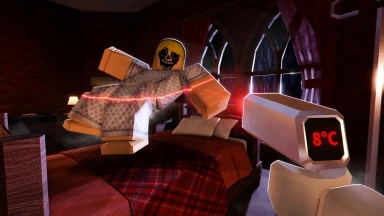
There are currently 5 active Night At The Infirmary codes, last checked September 3, 2026.
| Code | Reward | Status | Date | |
|---|---|---|---|---|
UPD6 | 250 Shards | ✓ Working | 25/08/2026 | |
UPD5 | 250 Shards | ✓ Working | 15/08/2026 | |
UPD4 | 250 Shards | ✓ Working | 07/08/2026 | |
UPD3 | 250 Shards | ✓ Working | 28/07/2026 | |
UPD2 | 250 Shards | ✓ Working | 28/07/2026 |
Know a code we missed?
- 1Launch Night At The Infirmary (Anomaly) on Roblox and join any server
- 2Look for the Twitter bird or gift box icon on the side of the screen
- 3Click it to open the code redemption menu
- 4Type or paste your code exactly as shown above
- 5Press Redeem — your reward appears instantly
| Code | Reward | Status | Date |
|---|---|---|---|
UPD1 | 275 Shards | ✗ Expired | 07/08/2026 |
RELEASE | 250 Shards | ✗ Expired | 07/08/2026 |
No events for this game right now.
7 All Anomaly Types — Master Tell Index
Last updated: Jul 20, 2026
This is the master index of every tell family, organized by the layer where it's visible.
Layer 1 — Window (visual tells):
- Hollow eyes — dark, empty sockets with no visible pupil.
- Wrong eye count or spacing — too many or too few eyes, or eyes set too far apart.
- Sharp or excessive teeth — too many teeth, or teeth that look sharpened.
- Proportion errors — wrong limb or head proportions for a normal patient.
- Unnatural movement or rigidity — twitching, jerky motion, or no motion at all.
- Head tracking — the patient's head follows the player.
Layer 2 — Photo booth print:
- Feature mismatch — traits on the print don't match the patient at the window.
- Added or removed traits — horns, scars, extra eyes, or missing features not on the patient.
- Static / noise photo — the print comes out as visual static instead of an image.
- Cursed photo — bloodshot eyes and an unnatural smile; looking at it drains sanity.
- Hyper-realistic face — the print shows an exaggerated, hyper-detailed face.
Layer 3 — CCTV (camera tells):
- Black box eyes — rectangular black blocks overlaid on the eyes.
- Void / pitch-dark body — full black silhouette with no detail.
- Stretched or distorted limbs — limbs longer or bent at wrong angles.
- Camera stare — patient staring directly at the lens.
- Feature mismatch vs window — the camera shows traits the window did not.
- Skinwalker form — a non-human shape visible only on camera.
- Sanity events — red-eye black shadow; staring at it drains sanity.
Confidence: These are Community-verified tell families, not fixed named monsters — the game reuses them across nights and patient models, so the same tell can appear on different patients. UPD 2 changes pending verification.
7.1 Visual Tells (Window) — Layer 1
Last updated: Jul 20, 2026
While the patient stands at the glass, look for visual tells — eyes, teeth, proportions and movement. Any one tell means reject; don't move on to the photo booth for a patient already flagged. A clean window only means the patient passed Layer 1 — the photo and camera checks are still required.
Eyes:
- Hollow eyes — dark, empty sockets with no visible pupil. Reject on sight.
- Wrong eye count — more or fewer than two eyes.
- Wrong eye spacing — two eyes but set too far apart or too close together.
Next step on a bad-eyes patient: drop the shutter. Don't photograph them just to confirm — the window check is enough.
Teeth:
- Sharp teeth — teeth that look pointed or blade-like rather than flat.
- Excessive teeth — too many teeth visible for a normal mouth, often packed edge to edge.
Proportions & body:
- Proportion errors — head, limbs, or torso sized wrong for a normal patient.
- Unnatural movement — twitching, jerky or stuttering motion.
- Unnatural rigidity — no motion at all, including no idle sway or breathing.
Head tracking: The highest-priority window tell — the patient's head rotates to follow you as you move around the reception area. Normal patients do not track the player. If the head follows you, reject immediately; no need to confirm on camera.
Confidence: Window tells are Community-verified — consistent across community guides, not published in an official manual. A clean window does not clear the patient; photo-only and camera-only tells still need their layers. UPD 2 changes pending verification.
7.2 Photo Tells (Print) — Layer 2
Last updated: Jul 20, 2026
After the window passes, take a photo and read the print. Tells here are usually about difference — the print shows traits the patient doesn't have — or about the print itself being wrong (static, cursed, hyper-realistic). Any one tell means reject.
Feature mismatch: Compare the print to the patient at the window; they should match.
- Added traits — horns, scars, extra eyes, or other features visible on the print but not on the patient.
- Removed traits — features present on the patient but missing on the print.
- General mismatch — the print looks like a different patient than the one at your window.
Next step on a clear mismatch: drop the shutter, no second-guessing.
Static / noise photo: Sometimes the booth returns a print that is pure visual static or noise — no image at all, just a grainy field. Treat a static print as a reject. Don't re-photograph hoping for a cleaner shot; the static itself is the tell.
Cursed photo: Shows bloodshot eyes paired with an unnatural smile. This is the only photo tell that hurts you directly — looking at it drains your sanity. Glance long enough to identify the smile and red eyes, then look away and drop the shutter. Don't linger on the print.
Hyper-realistic face: Exaggerated and overly detailed — skin texture, pores and shading pushed past what the rest of the game's patients look like. A tell on its own; reject even if the face otherwise matches.
Confidence: Photo tells are Community-verified — consistent across community guides, not published in an official manual. The cursed-photo sanity drain is reported by players but the exact rate is not documented. UPD 2 changes pending verification.
7.3 Camera Tells (CCTV) — Layer 3
Last updated: Jul 20, 2026
The CCTV bank is the layer that catches the most tells the other two miss. Camera-only tells — skinwalker forms, black-box eyes, void bodies — dominate the late nights, so finish the camera pass on every patient even when the window and photo are clean. Any one tell means reject.
Black box eyes: Rectangular black blocks overlaid on the patient's eyes on the CCTV feed. The window may show normal eyes — the blocks only render on camera. Reject as soon as you see them.
Void / pitch-dark body: A full black silhouette on CCTV — no facial detail, no clothing detail, just a dark figure where the patient should be. Sometimes paired with black box eyes. Reject on sight.
Stretched or distorted limbs:
- Stretched limbs — arms or legs noticeably longer on camera than at the window.
- Distorted limbs — limbs bent at angles a normal skeleton cannot produce.
Camera stare: The patient staring directly into the CCTV lens — not just facing the camera, but locked onto it. Like head tracking at the window, this is high-confidence: reject immediately.
Feature mismatch vs window: If the camera shows traits the window did not — different proportions, extra features, a different silhouette — that's a mismatch and a reject. The camera equivalent of the photo-layer feature mismatch.
Skinwalker form: A non-human shape visible only on camera. The patient looks human at the window and on the photo, but the CCTV shows something clearly not a person. The clearest example of why a clean window is not safe — always finish the camera pass.
Sanity events: Camera tells that hurt you directly. The reported form is a red-eye black shadow on the feed; staring at it drains your sanity. When you see it, switch CCTV channels or exit the monitor and drop the shutter — don't hold the feed open.
Confidence: Camera tells are Community-verified — consistent across community guides, not published in an official manual. The exact sanity-drain rate from sanity events is not documented. UPD 2 changes pending verification.
8 Walkthrough
Overview
The run advances night by night. Public badges confirm Night 1 and Night 2 as part of the core progression (Official); later nights are community-reported and not yet badged. Difficulty scales in phases rather than smoothly — each block of nights tends to introduce a new kind of pressure on top of the previous one.
First Night Walkthrough
Last updated: Jul 20, 2026
The first night is a teaching night. Patients trickle in slowly, gaps between arrivals are long, and the tells are obvious on purpose. Treat it as a guided tour of the four desk stations: the reception window, the photo booth, the CCTV bank, and the shutter. There is no meaningful time pressure — the goal is to leave with the loop committed to memory.
Step-by-step route:
- Spawn and orient — you wake at the reception desk. Turn to face the window; the shutter, photo booth and CCTV room are all within a few steps.
- Open the reception window — walk up and press E. The first patient appears in the frame. Look for visual tells: eyes, teeth, proportions, head tracking.
- Go to the photo booth — take the photo with E, then read the print that drops. Compare it against what you saw at the window.
- Go to the CCTV room — switch channels with E and watch the feed for a moment. Black-box eyes, void silhouettes and skinwalker forms show up here.
- Decide — if everything checks out, leave the window open to admit. If anything is off, drop the shutter to reject.
Why the first night is gentle: Patient count is low and the gaps between arrivals are long enough to walk the full three-station loop without feeling rushed. Tells, when present, are tuned to be obvious — exaggerated features, mismatched photos, hard-to-miss CCTV glitches. Use the breathing room to build the habit of always checking all three layers before deciding.
First-night habit: Always complete the full window → photo → CCTV loop before deciding, even when the patient looks clean at a glance. The habit built on Night 1 is what keeps you alive when the queue gets heavy.
Warning — doing nothing admits the patient: If you leave the window open and walk away or freeze, the patient is admitted by default. If anything feels wrong and you're unsure, drop the shutter — a wrong reject is recoverable, a wrong admit is not.
All Nights Walkthrough — Difficulty Phases
Last updated: Jul 20, 2026
Difficulty scales in phases rather than on a smooth curve. Each block of nights tends to add one new pressure on top of the previous one, so the Night-1 loop stays useful — it just gets less time to execute. Public badges confirm Night 1 and Night 2 as part of the core progression; everything past that is community-reported.
Nights 1–2: teaching rhythm
- Few patients per shift, long gaps between arrivals.
- Tells are obvious across all three layers — exaggerated features, mismatched photos, clear CCTV glitches.
- Use these nights to lock in the window → photo → CCTV loop until it's muscle memory.
Nights 3–4: busier, camera-driven
- Patient count rises and the gaps between arrivals shorten.
- Window and photo tells get subtler; some patients look clean at the first two layers.
- Camera-only tells become more common — expect to lean on CCTV to catch late-night anomalies.
Night 5+: queue pressure
- Queue pressure dominates: patients stacking up becomes the main threat, not any single tell.
- Proportion tells become subtle enough to miss under time pressure, and CCTV glitches can show up delayed.
- Sanity management matters more here — late nights punish rushing and skipped checks.
Confidence: The night-phase breakdown is Community-verified — consistent across community guides and walkthroughs, not published in an official manual. Night 3 onward has no public badge yet, so specific night counts and pacing are subject to change in later updates.
2 Beginner Guide — First Nights
Last updated: Jul 20, 2026
The first three nights are about building one habit: run the three verification layers in order, every patient, no shortcuts. Players who lose early usually skipped a layer or treated the shutter as optional.
Build the three-layer habit (always in this order):
- Window first — visual scan for eyes, teeth, proportions, motion.
- Photo second — print it, read it, look for static or mismatches.
- CCTV last — pull the patient on the monitor and scan for camera-only tells.
- Then decide — any anomaly on any layer means close the shutter.
The order matters because some anomalies only appear on later layers, and CCTV can surface tells the window and photo cannot.
Common fatal mistakes:
- Admitting on a clean window alone. A normal-looking patient can still print static or show black-box eyes on CCTV. Window-clean is step one, not a verdict.
- Forgetting CCTV. Skipping the monitor saves a few seconds and gets patients killed — the camera layer exists specifically to catch tells the window and photo miss.
- Over-watching the cameras. Staring at CCTV drains sanity. Glance, scan, exit. Do not camp the feed between patients.
- Treating the shutter as optional. Shutter-open means admit; if you don't actively close it on a flagged patient, they walk in.
Tips for the first three nights:
- Move deliberately between stations; don't try to break the loop for speed yet.
- Step back from the desk between patients to recover a bit of sanity before the next arrival.
- When unsure about a tell, default to reject — accuracy matters more than throughput early on.
Confidence: The mistake patterns and three-layer habit are Community-verified from UPD 1 reports. Sanity drain rates and the per-night difficulty curve may shift in UPD 2; treat those as pending verification.
6 Best Strategy — Optimal Route
Last updated: Jul 20, 2026
Best strategy is not a different loop — it's the same three-layer loop run with minimum wasted movement, minimum sanity spent, and maximum accuracy. Speed comes from tightening the route, not from skipping steps.
Optimal check route (window → photo → CCTV as a tight triangle):
- Window. Look, scan, close the window once you have the verdict on visual tells.
- Photo booth. Print, collect, read. One pass — do not re-print.
- CCTV. Pull the patient on the monitor, scan for camera-only tells, exit immediately.
- Decide at the shutter. Close or leave open based on the OR rule. Step back to recover.
Hold high accuracy: A wrong admit is worse than a slow loop — it directly ends runs and tanks nightly metrics. If in doubt, slow down and confirm rather than guess.
- When unsure, reject — the cost of a false reject is far lower than a false admit.
- Run all three layers, even under time pressure. The route above is built to make this cheap, not optional.
Sanity budget per night: Treat sanity as a fixed per-night budget — late nights have more patients and more anomalies per patient, so the same loop costs more.
- Cut CCTV dwell early. Save the budget for late-night arrivals, when you cannot afford to miss a camera tell.
- Bank recovery between patients. Every gap is a sanity deposit.
- Skip the cursed-print linger. If you already have grounds to reject, don't study the cursed print longer than needed.
Multiplayer role split: Split the three layers across players to parallelize the loop and cut misses:
- Window player — greets, scans visual tells, calls the patient through to the next layer.
- Photo player — runs the booth, reads prints, flags anomalies on the still image.
- Camera player — owns the CCTV feed, scans camera-only tells, watches for sanity events.
One player should own the shutter decision so admits/rejects aren't split-brained — usually the window player when there are three players.
Confidence: The optimal route, accuracy rule, and multiplayer role split are Community-verified from UPD 1 reports. This page is Semi-evergreen: meta may shift with UPD 2 (new tells, new station behavior, or rebalanced sanity drain).
9 Ending Guide — Routes & Triggers (Unconfirmed)
Last updated: Jul 20, 2026
Community reports describe multiple endings, reportedly unlocked by surviving more nights and maintaining a high decision accuracy across the run. Beyond that high-level shape, specific trigger thresholds are not pinned down. This page is described by the source as a skeleton to be filled in as evidence lands.
What is reported:
- Multiple endings exist, not a single win-state.
- Surviving deeper into the night roster is reportedly one unlock axis.
- High accuracy across admitted and rejected patients is reportedly another.
- The exact night count and accuracy thresholds are not yet known.
What is still missing: No official ending badges are public yet, and no community guide has produced a reproducible unlock table.
Warning — Unconfirmed: The reported ending count and all trigger thresholds are Unconfirmed. No official ending badges have been published, and the community has not reproduced a clean unlock table. This tracks the rumor only — verify before treating any ending condition as fact.
3 How to Detect Anomalies — Method
Last updated: Jul 20, 2026
Detection is layered: each station — window, photo booth, CCTV — exposes a different family of tells, and tells on one layer do not reliably appear on the others. The method is to run all three layers, in order, every patient.
Always run the layers in order: window → photo → CCTV, regardless of how clean the first layer looks.
- Window (Layer 1). Direct line-of-sight at the reception window. Look at the face and body: eyes, teeth, skin tone, proportions, head tracking, idle motion.
- Photo (Layer 2). The photo booth print. Read the still image for feature mismatches, static, hyper-realistic detail, or a cursed frame.
- CCTV (Layer 3). The monitor feed. Look for black-box eyes, void bodies, skinwalker forms, or sanity events that only appear on camera.
What each layer is good at:
- Window catches visible anatomy and motion tells — wrong eyes, wrong teeth, unnatural proportions, head tracking the patient shouldn't be doing.
- Photo catches still-image tells — the print doesn't match what you saw at the window, or comes out static / cursed / hyper-realistic.
- CCTV catches camera-only tells — features visible on the monitor that the eye and photo cannot resolve, plus sanity events tied to the feed.
Why skipping a layer kills you: Tells don't overlap the way you'd expect. A patient with clean eyes at the window can still print static; a patient with a clean print can still show a void body on CCTV. Skipping a layer means trusting a single data point — exactly the one the anomaly is hiding behind. In practice, CCTV is the layer most often skipped (it costs sanity and feels redundant after two clean layers), and it's also the layer most likely to catch a skinwalker form.
Confidence: Tell families and the three-layer method are Community-verified from UPD 1 reports. Specific tells for each family are documented in the Anomalies section below. UPD 2 may add or shift families; new tells should be treated as Unconfirmed until verified.
1 How to Play — The Desk Loop
Last updated: Jul 20, 2026
Each patient is processed through the same loop, using the three verification layers and a single shutter that decides admission.
The per-patient loop:
- Greet at the window. A patient walks up to the reception window. Latch the window open and look at them directly before going to any other station.
- Window check (visual). Scan for visual tells — eyes, teeth, proportions, head tracking, unusual movement. This is Layer 1.
- Photo booth (print). Move to the booth, take the photo, and collect the print. Read it for feature mismatches, static, cursed or hyper-realistic output. This is Layer 2.
- CCTV (camera). Pull up the patient on the monitor. Scan for black-box eyes, void bodies, skinwalker forms, or sanity events. This is Layer 3.
- Decide admit or reject. If any layer flagged anything, drop the shutter to reject. If all three layers were clean, leave the shutter open to admit.
- Next patient. The queue advances. Reset, return to the window, and start the loop again.
The OR rule: Treat the three layers as a logical OR. A single anomaly on a single layer means reject — no second confirmation needed. Two clean layers and one anomaly is still a reject. The reverse also matters: a clean-looking window with a static print or a black-box-eyed CCTV feed is still anomalous. Skipping a layer to save time is the fastest way to admit the wrong patient.
Shutter open means admit: The shutter is the only admit/reject control. Shutter open at the window = admit. Closing the shutter housing = reject. Only leave it open once all three layers are clean; default to closed if unsure.
Confidence: The desk loop and three-layer OR rule are Community-verified from UPD 1 reports, consistent across community guides. UPD 2 changes to the loop or shutter behavior are pending verification.
4 How to Reject Patients — Shutter
Last updated: Jul 20, 2026
Rejection is the only safe response to an anomaly — there is no treatment mini-game at the desk. If a patient is anomalous, you stop them at the gate; the whole interaction is the shutter.
When to reject:
- Any anomaly on any layer. One positive tell — window, photo, or CCTV — is enough. No second confirmation needed.
- When unsure, reject. Accuracy matters more than throughput. If a tell is borderline or you missed a layer, default to closing the shutter.
- On cursed or static photo output. Treat abnormal prints as anomalous even if the patient looked clean at the window.
How to reject: Close the shutter housing — the sliding door between the desk and the infirmary interior. That is the reject action; there is no separate button. Mechanically: walk to the shutter, press the interact key to close it before the patient is admitted. The queue then advances to the next patient.
Queue management:
- Keep moving. Once decided, reset to the window immediately. Don't stand at the shutter waiting for the animation.
- Do not dwell on a reject. A closed shutter is final for that patient — there is no appeals step.
- Recover between arrivals. Use the gap between patients to step back from the desk and recover sanity before the next window check.
Shutter is a gate, not a weapon: It's not a tool you swing at a patient — it's a gate you leave closed when rejecting and open when admitting. Closing it late, after the patient has already started through, is how accidental admits happen. Default state between uncertain patients: closed. Open it only after all three layers have come back clean.
Confidence: Reject mechanics and the shutter-as-gate framing are Community-verified from UPD 1 reports. Whether UPD 2 changes shutter timing or adds a separate reject action is pending verification.
5 How to Survive — Sanity Management
Last updated: Jul 24, 2026
Survival isn't just about correct admits and rejects — it's about finishing the shift with enough sanity to keep making correct calls. Sanity drains from the work itself, and when it gets too low, the shift ends early regardless of accuracy.
What drains sanity:
- Staring at CCTV. Dwelling on the monitor drains sanity fast. Glance, scan, exit.
- Pressing the window. Holding the window open longer than necessary costs sanity, especially on anomalous patients.
- Cursed photo output. A cursed print from the photo booth hits sanity on collection.
- Sanity events. Specific CCTV events — and certain late-night patient types — drain sanity on trigger.
What restores sanity:
- Step back from the desk. Backing off between patients recovers a small amount of sanity.
- Calm moments between arrivals. When the queue is empty, don't camp a station — let the meter climb before the next patient arrives.
- Treat patients and exorcise anomalies. Successfully treating a patient can recover some sanity, and a successful exorcism grants an extra gain. These recovery sources scale with class perks (Head Doctor, Therapist, Exorcist).
Recovery is slow and drain is fast. The winning pattern is to spend only as long at each station as the check actually needs, then step back.
When sanity gets too low: If sanity bottoms out, the shift ends early — you don't die on the floor, but the night stops and you lose progress on that run. Some reports describe visual and audio distortion as sanity drops; treat those as a signal to back off the desk immediately.
Pacing for late nights:
- Cut CCTV dwell time. Scan for camera-only tells and exit; don't watch for sanity events longer than needed to confirm.
- Use every gap. Even a few seconds between patients helps — step back, don't lean on the window.
- Reject fast on cursed prints. If the photo booth prints cursed output, close the shutter promptly to limit the drain window.
Cursed photo warning: A cursed photo drains sanity when collected. If the previous layers already gave you enough grounds to reject, you can skip studying the print further — confirm only what you need to close the shutter.
Confidence: Sanity drain sources and the early-shift-end behavior are Community-verified from UPD 1 reports. Exact drain and recovery rates, and which events trigger which hit, are Unconfirmed and may shift in UPD 2.
8 Walkthrough
Overview
The run advances night by night. Public badges confirm Night 1 and Night 2 as part of the core progression (Official); later nights are community-reported and not yet badged. Difficulty scales in phases rather than smoothly — each block of nights tends to introduce a new kind of pressure on top of the previous one.
First Night Walkthrough
Last updated: Jul 20, 2026
The first night is a teaching night. Patients trickle in slowly, gaps between arrivals are long, and the tells are obvious on purpose. Treat it as a guided tour of the four desk stations: the reception window, the photo booth, the CCTV bank, and the shutter. There is no meaningful time pressure — the goal is to leave with the loop committed to memory.
Step-by-step route:
- Spawn and orient — you wake at the reception desk. Turn to face the window; the shutter, photo booth and CCTV room are all within a few steps.
- Open the reception window — walk up and press E. The first patient appears in the frame. Look for visual tells: eyes, teeth, proportions, head tracking.
- Go to the photo booth — take the photo with E, then read the print that drops. Compare it against what you saw at the window.
- Go to the CCTV room — switch channels with E and watch the feed for a moment. Black-box eyes, void silhouettes and skinwalker forms show up here.
- Decide — if everything checks out, leave the window open to admit. If anything is off, drop the shutter to reject.
Why the first night is gentle: Patient count is low and the gaps between arrivals are long enough to walk the full three-station loop without feeling rushed. Tells, when present, are tuned to be obvious — exaggerated features, mismatched photos, hard-to-miss CCTV glitches. Use the breathing room to build the habit of always checking all three layers before deciding.
First-night habit: Always complete the full window → photo → CCTV loop before deciding, even when the patient looks clean at a glance. The habit built on Night 1 is what keeps you alive when the queue gets heavy.
Warning — doing nothing admits the patient: If you leave the window open and walk away or freeze, the patient is admitted by default. If anything feels wrong and you're unsure, drop the shutter — a wrong reject is recoverable, a wrong admit is not.
All Nights Walkthrough — Difficulty Phases
Last updated: Jul 20, 2026
Difficulty scales in phases rather than on a smooth curve. Each block of nights tends to add one new pressure on top of the previous one, so the Night-1 loop stays useful — it just gets less time to execute. Public badges confirm Night 1 and Night 2 as part of the core progression; everything past that is community-reported.
Nights 1–2: teaching rhythm
- Few patients per shift, long gaps between arrivals.
- Tells are obvious across all three layers — exaggerated features, mismatched photos, clear CCTV glitches.
- Use these nights to lock in the window → photo → CCTV loop until it's muscle memory.
Nights 3–4: busier, camera-driven
- Patient count rises and the gaps between arrivals shorten.
- Window and photo tells get subtler; some patients look clean at the first two layers.
- Camera-only tells become more common — expect to lean on CCTV to catch late-night anomalies.
Night 5+: queue pressure
- Queue pressure dominates: patients stacking up becomes the main threat, not any single tell.
- Proportion tells become subtle enough to miss under time pressure, and CCTV glitches can show up delayed.
- Sanity management matters more here — late nights punish rushing and skipped checks.
Confidence: The night-phase breakdown is Community-verified — consistent across community guides and walkthroughs, not published in an official manual. Night 3 onward has no public badge yet, so specific night counts and pacing are subject to change in later updates.
🌙 You’ve been hired for the night shift. Welcome to the Infirmary. Patients will arrive throughout the night. Examine them carefully, some may not be what they seem... ⚠️ Flashing lights and jumpscares 🎧 Headphones recommended ⬆️ High graphics recommended This game is in Beta, please report any bugs on the forums and community server! (Anomaly, Haunted, Hospital, Scary, Jumpscare)
![Night Shift at Paulie's (Early Beta) [HORROR]](https://tr.rbxcdn.com/180DAY-487883ab56ce10515f05943979a7259a/384/216/Image/Webp/noFilter)
![[HORROR] Saturation Diving](https://tr.rbxcdn.com/180DAY-34a472256f696236dfea795e55ab1506/384/216/Image/Webp/noFilter)
![[UPD] Paint Or Seek [Chameleon]](https://tr.rbxcdn.com/180DAY-e38c00c89e8c8771e1669615ed472051/384/216/Image/Webp/noFilter)

Night At The Infirmary (Anomaly)
There are currently 5 active Night At The Infirmary codes, last checked September 3, 2026.
UPD6UPD5UPD4UPD3UPD2Know a code we missed?
- 1Launch Night At The Infirmary (Anomaly) on Roblox and join any server
- 2Look for the Twitter bird or gift box icon on the side of the screen
- 3Click it to open the code redemption menu
- 4Type or paste your code exactly as shown above
- 5Press Redeem — your reward appears instantly
UPD1RELEASENo events for this game right now.
7 All Anomaly Types — Master Tell Index
Last updated: Jul 20, 2026
This is the master index of every tell family, organized by the layer where it's visible.
Layer 1 — Window (visual tells):
- Hollow eyes — dark, empty sockets with no visible pupil.
- Wrong eye count or spacing — too many or too few eyes, or eyes set too far apart.
- Sharp or excessive teeth — too many teeth, or teeth that look sharpened.
- Proportion errors — wrong limb or head proportions for a normal patient.
- Unnatural movement or rigidity — twitching, jerky motion, or no motion at all.
- Head tracking — the patient's head follows the player.
Layer 2 — Photo booth print:
- Feature mismatch — traits on the print don't match the patient at the window.
- Added or removed traits — horns, scars, extra eyes, or missing features not on the patient.
- Static / noise photo — the print comes out as visual static instead of an image.
- Cursed photo — bloodshot eyes and an unnatural smile; looking at it drains sanity.
- Hyper-realistic face — the print shows an exaggerated, hyper-detailed face.
Layer 3 — CCTV (camera tells):
- Black box eyes — rectangular black blocks overlaid on the eyes.
- Void / pitch-dark body — full black silhouette with no detail.
- Stretched or distorted limbs — limbs longer or bent at wrong angles.
- Camera stare — patient staring directly at the lens.
- Feature mismatch vs window — the camera shows traits the window did not.
- Skinwalker form — a non-human shape visible only on camera.
- Sanity events — red-eye black shadow; staring at it drains sanity.
Confidence: These are Community-verified tell families, not fixed named monsters — the game reuses them across nights and patient models, so the same tell can appear on different patients. UPD 2 changes pending verification.
7.1 Visual Tells (Window) — Layer 1
Last updated: Jul 20, 2026
While the patient stands at the glass, look for visual tells — eyes, teeth, proportions and movement. Any one tell means reject; don't move on to the photo booth for a patient already flagged. A clean window only means the patient passed Layer 1 — the photo and camera checks are still required.
Eyes:
- Hollow eyes — dark, empty sockets with no visible pupil. Reject on sight.
- Wrong eye count — more or fewer than two eyes.
- Wrong eye spacing — two eyes but set too far apart or too close together.
Next step on a bad-eyes patient: drop the shutter. Don't photograph them just to confirm — the window check is enough.
Teeth:
- Sharp teeth — teeth that look pointed or blade-like rather than flat.
- Excessive teeth — too many teeth visible for a normal mouth, often packed edge to edge.
Proportions & body:
- Proportion errors — head, limbs, or torso sized wrong for a normal patient.
- Unnatural movement — twitching, jerky or stuttering motion.
- Unnatural rigidity — no motion at all, including no idle sway or breathing.
Head tracking: The highest-priority window tell — the patient's head rotates to follow you as you move around the reception area. Normal patients do not track the player. If the head follows you, reject immediately; no need to confirm on camera.
Confidence: Window tells are Community-verified — consistent across community guides, not published in an official manual. A clean window does not clear the patient; photo-only and camera-only tells still need their layers. UPD 2 changes pending verification.
7.2 Photo Tells (Print) — Layer 2
Last updated: Jul 20, 2026
After the window passes, take a photo and read the print. Tells here are usually about difference — the print shows traits the patient doesn't have — or about the print itself being wrong (static, cursed, hyper-realistic). Any one tell means reject.
Feature mismatch: Compare the print to the patient at the window; they should match.
- Added traits — horns, scars, extra eyes, or other features visible on the print but not on the patient.
- Removed traits — features present on the patient but missing on the print.
- General mismatch — the print looks like a different patient than the one at your window.
Next step on a clear mismatch: drop the shutter, no second-guessing.
Static / noise photo: Sometimes the booth returns a print that is pure visual static or noise — no image at all, just a grainy field. Treat a static print as a reject. Don't re-photograph hoping for a cleaner shot; the static itself is the tell.
Cursed photo: Shows bloodshot eyes paired with an unnatural smile. This is the only photo tell that hurts you directly — looking at it drains your sanity. Glance long enough to identify the smile and red eyes, then look away and drop the shutter. Don't linger on the print.
Hyper-realistic face: Exaggerated and overly detailed — skin texture, pores and shading pushed past what the rest of the game's patients look like. A tell on its own; reject even if the face otherwise matches.
Confidence: Photo tells are Community-verified — consistent across community guides, not published in an official manual. The cursed-photo sanity drain is reported by players but the exact rate is not documented. UPD 2 changes pending verification.
7.3 Camera Tells (CCTV) — Layer 3
Last updated: Jul 20, 2026
The CCTV bank is the layer that catches the most tells the other two miss. Camera-only tells — skinwalker forms, black-box eyes, void bodies — dominate the late nights, so finish the camera pass on every patient even when the window and photo are clean. Any one tell means reject.
Black box eyes: Rectangular black blocks overlaid on the patient's eyes on the CCTV feed. The window may show normal eyes — the blocks only render on camera. Reject as soon as you see them.
Void / pitch-dark body: A full black silhouette on CCTV — no facial detail, no clothing detail, just a dark figure where the patient should be. Sometimes paired with black box eyes. Reject on sight.
Stretched or distorted limbs:
- Stretched limbs — arms or legs noticeably longer on camera than at the window.
- Distorted limbs — limbs bent at angles a normal skeleton cannot produce.
Camera stare: The patient staring directly into the CCTV lens — not just facing the camera, but locked onto it. Like head tracking at the window, this is high-confidence: reject immediately.
Feature mismatch vs window: If the camera shows traits the window did not — different proportions, extra features, a different silhouette — that's a mismatch and a reject. The camera equivalent of the photo-layer feature mismatch.
Skinwalker form: A non-human shape visible only on camera. The patient looks human at the window and on the photo, but the CCTV shows something clearly not a person. The clearest example of why a clean window is not safe — always finish the camera pass.
Sanity events: Camera tells that hurt you directly. The reported form is a red-eye black shadow on the feed; staring at it drains your sanity. When you see it, switch CCTV channels or exit the monitor and drop the shutter — don't hold the feed open.
Confidence: Camera tells are Community-verified — consistent across community guides, not published in an official manual. The exact sanity-drain rate from sanity events is not documented. UPD 2 changes pending verification.
8 Walkthrough
Overview
The run advances night by night. Public badges confirm Night 1 and Night 2 as part of the core progression (Official); later nights are community-reported and not yet badged. Difficulty scales in phases rather than smoothly — each block of nights tends to introduce a new kind of pressure on top of the previous one.
First Night Walkthrough
Last updated: Jul 20, 2026
The first night is a teaching night. Patients trickle in slowly, gaps between arrivals are long, and the tells are obvious on purpose. Treat it as a guided tour of the four desk stations: the reception window, the photo booth, the CCTV bank, and the shutter. There is no meaningful time pressure — the goal is to leave with the loop committed to memory.
Step-by-step route:
- Spawn and orient — you wake at the reception desk. Turn to face the window; the shutter, photo booth and CCTV room are all within a few steps.
- Open the reception window — walk up and press E. The first patient appears in the frame. Look for visual tells: eyes, teeth, proportions, head tracking.
- Go to the photo booth — take the photo with E, then read the print that drops. Compare it against what you saw at the window.
- Go to the CCTV room — switch channels with E and watch the feed for a moment. Black-box eyes, void silhouettes and skinwalker forms show up here.
- Decide — if everything checks out, leave the window open to admit. If anything is off, drop the shutter to reject.
Why the first night is gentle: Patient count is low and the gaps between arrivals are long enough to walk the full three-station loop without feeling rushed. Tells, when present, are tuned to be obvious — exaggerated features, mismatched photos, hard-to-miss CCTV glitches. Use the breathing room to build the habit of always checking all three layers before deciding.
First-night habit: Always complete the full window → photo → CCTV loop before deciding, even when the patient looks clean at a glance. The habit built on Night 1 is what keeps you alive when the queue gets heavy.
Warning — doing nothing admits the patient: If you leave the window open and walk away or freeze, the patient is admitted by default. If anything feels wrong and you're unsure, drop the shutter — a wrong reject is recoverable, a wrong admit is not.
All Nights Walkthrough — Difficulty Phases
Last updated: Jul 20, 2026
Difficulty scales in phases rather than on a smooth curve. Each block of nights tends to add one new pressure on top of the previous one, so the Night-1 loop stays useful — it just gets less time to execute. Public badges confirm Night 1 and Night 2 as part of the core progression; everything past that is community-reported.
Nights 1–2: teaching rhythm
- Few patients per shift, long gaps between arrivals.
- Tells are obvious across all three layers — exaggerated features, mismatched photos, clear CCTV glitches.
- Use these nights to lock in the window → photo → CCTV loop until it's muscle memory.
Nights 3–4: busier, camera-driven
- Patient count rises and the gaps between arrivals shorten.
- Window and photo tells get subtler; some patients look clean at the first two layers.
- Camera-only tells become more common — expect to lean on CCTV to catch late-night anomalies.
Night 5+: queue pressure
- Queue pressure dominates: patients stacking up becomes the main threat, not any single tell.
- Proportion tells become subtle enough to miss under time pressure, and CCTV glitches can show up delayed.
- Sanity management matters more here — late nights punish rushing and skipped checks.
Confidence: The night-phase breakdown is Community-verified — consistent across community guides and walkthroughs, not published in an official manual. Night 3 onward has no public badge yet, so specific night counts and pacing are subject to change in later updates.
2 Beginner Guide — First Nights
Last updated: Jul 20, 2026
The first three nights are about building one habit: run the three verification layers in order, every patient, no shortcuts. Players who lose early usually skipped a layer or treated the shutter as optional.
Build the three-layer habit (always in this order):
- Window first — visual scan for eyes, teeth, proportions, motion.
- Photo second — print it, read it, look for static or mismatches.
- CCTV last — pull the patient on the monitor and scan for camera-only tells.
- Then decide — any anomaly on any layer means close the shutter.
The order matters because some anomalies only appear on later layers, and CCTV can surface tells the window and photo cannot.
Common fatal mistakes:
- Admitting on a clean window alone. A normal-looking patient can still print static or show black-box eyes on CCTV. Window-clean is step one, not a verdict.
- Forgetting CCTV. Skipping the monitor saves a few seconds and gets patients killed — the camera layer exists specifically to catch tells the window and photo miss.
- Over-watching the cameras. Staring at CCTV drains sanity. Glance, scan, exit. Do not camp the feed between patients.
- Treating the shutter as optional. Shutter-open means admit; if you don't actively close it on a flagged patient, they walk in.
Tips for the first three nights:
- Move deliberately between stations; don't try to break the loop for speed yet.
- Step back from the desk between patients to recover a bit of sanity before the next arrival.
- When unsure about a tell, default to reject — accuracy matters more than throughput early on.
Confidence: The mistake patterns and three-layer habit are Community-verified from UPD 1 reports. Sanity drain rates and the per-night difficulty curve may shift in UPD 2; treat those as pending verification.
6 Best Strategy — Optimal Route
Last updated: Jul 20, 2026
Best strategy is not a different loop — it's the same three-layer loop run with minimum wasted movement, minimum sanity spent, and maximum accuracy. Speed comes from tightening the route, not from skipping steps.
Optimal check route (window → photo → CCTV as a tight triangle):
- Window. Look, scan, close the window once you have the verdict on visual tells.
- Photo booth. Print, collect, read. One pass — do not re-print.
- CCTV. Pull the patient on the monitor, scan for camera-only tells, exit immediately.
- Decide at the shutter. Close or leave open based on the OR rule. Step back to recover.
Hold high accuracy: A wrong admit is worse than a slow loop — it directly ends runs and tanks nightly metrics. If in doubt, slow down and confirm rather than guess.
- When unsure, reject — the cost of a false reject is far lower than a false admit.
- Run all three layers, even under time pressure. The route above is built to make this cheap, not optional.
Sanity budget per night: Treat sanity as a fixed per-night budget — late nights have more patients and more anomalies per patient, so the same loop costs more.
- Cut CCTV dwell early. Save the budget for late-night arrivals, when you cannot afford to miss a camera tell.
- Bank recovery between patients. Every gap is a sanity deposit.
- Skip the cursed-print linger. If you already have grounds to reject, don't study the cursed print longer than needed.
Multiplayer role split: Split the three layers across players to parallelize the loop and cut misses:
- Window player — greets, scans visual tells, calls the patient through to the next layer.
- Photo player — runs the booth, reads prints, flags anomalies on the still image.
- Camera player — owns the CCTV feed, scans camera-only tells, watches for sanity events.
One player should own the shutter decision so admits/rejects aren't split-brained — usually the window player when there are three players.
Confidence: The optimal route, accuracy rule, and multiplayer role split are Community-verified from UPD 1 reports. This page is Semi-evergreen: meta may shift with UPD 2 (new tells, new station behavior, or rebalanced sanity drain).
9 Ending Guide — Routes & Triggers (Unconfirmed)
Last updated: Jul 20, 2026
Community reports describe multiple endings, reportedly unlocked by surviving more nights and maintaining a high decision accuracy across the run. Beyond that high-level shape, specific trigger thresholds are not pinned down. This page is described by the source as a skeleton to be filled in as evidence lands.
What is reported:
- Multiple endings exist, not a single win-state.
- Surviving deeper into the night roster is reportedly one unlock axis.
- High accuracy across admitted and rejected patients is reportedly another.
- The exact night count and accuracy thresholds are not yet known.
What is still missing: No official ending badges are public yet, and no community guide has produced a reproducible unlock table.
Warning — Unconfirmed: The reported ending count and all trigger thresholds are Unconfirmed. No official ending badges have been published, and the community has not reproduced a clean unlock table. This tracks the rumor only — verify before treating any ending condition as fact.
3 How to Detect Anomalies — Method
Last updated: Jul 20, 2026
Detection is layered: each station — window, photo booth, CCTV — exposes a different family of tells, and tells on one layer do not reliably appear on the others. The method is to run all three layers, in order, every patient.
Always run the layers in order: window → photo → CCTV, regardless of how clean the first layer looks.
- Window (Layer 1). Direct line-of-sight at the reception window. Look at the face and body: eyes, teeth, skin tone, proportions, head tracking, idle motion.
- Photo (Layer 2). The photo booth print. Read the still image for feature mismatches, static, hyper-realistic detail, or a cursed frame.
- CCTV (Layer 3). The monitor feed. Look for black-box eyes, void bodies, skinwalker forms, or sanity events that only appear on camera.
What each layer is good at:
- Window catches visible anatomy and motion tells — wrong eyes, wrong teeth, unnatural proportions, head tracking the patient shouldn't be doing.
- Photo catches still-image tells — the print doesn't match what you saw at the window, or comes out static / cursed / hyper-realistic.
- CCTV catches camera-only tells — features visible on the monitor that the eye and photo cannot resolve, plus sanity events tied to the feed.
Why skipping a layer kills you: Tells don't overlap the way you'd expect. A patient with clean eyes at the window can still print static; a patient with a clean print can still show a void body on CCTV. Skipping a layer means trusting a single data point — exactly the one the anomaly is hiding behind. In practice, CCTV is the layer most often skipped (it costs sanity and feels redundant after two clean layers), and it's also the layer most likely to catch a skinwalker form.
Confidence: Tell families and the three-layer method are Community-verified from UPD 1 reports. Specific tells for each family are documented in the Anomalies section below. UPD 2 may add or shift families; new tells should be treated as Unconfirmed until verified.
1 How to Play — The Desk Loop
Last updated: Jul 20, 2026
Each patient is processed through the same loop, using the three verification layers and a single shutter that decides admission.
The per-patient loop:
- Greet at the window. A patient walks up to the reception window. Latch the window open and look at them directly before going to any other station.
- Window check (visual). Scan for visual tells — eyes, teeth, proportions, head tracking, unusual movement. This is Layer 1.
- Photo booth (print). Move to the booth, take the photo, and collect the print. Read it for feature mismatches, static, cursed or hyper-realistic output. This is Layer 2.
- CCTV (camera). Pull up the patient on the monitor. Scan for black-box eyes, void bodies, skinwalker forms, or sanity events. This is Layer 3.
- Decide admit or reject. If any layer flagged anything, drop the shutter to reject. If all three layers were clean, leave the shutter open to admit.
- Next patient. The queue advances. Reset, return to the window, and start the loop again.
The OR rule: Treat the three layers as a logical OR. A single anomaly on a single layer means reject — no second confirmation needed. Two clean layers and one anomaly is still a reject. The reverse also matters: a clean-looking window with a static print or a black-box-eyed CCTV feed is still anomalous. Skipping a layer to save time is the fastest way to admit the wrong patient.
Shutter open means admit: The shutter is the only admit/reject control. Shutter open at the window = admit. Closing the shutter housing = reject. Only leave it open once all three layers are clean; default to closed if unsure.
Confidence: The desk loop and three-layer OR rule are Community-verified from UPD 1 reports, consistent across community guides. UPD 2 changes to the loop or shutter behavior are pending verification.
4 How to Reject Patients — Shutter
Last updated: Jul 20, 2026
Rejection is the only safe response to an anomaly — there is no treatment mini-game at the desk. If a patient is anomalous, you stop them at the gate; the whole interaction is the shutter.
When to reject:
- Any anomaly on any layer. One positive tell — window, photo, or CCTV — is enough. No second confirmation needed.
- When unsure, reject. Accuracy matters more than throughput. If a tell is borderline or you missed a layer, default to closing the shutter.
- On cursed or static photo output. Treat abnormal prints as anomalous even if the patient looked clean at the window.
How to reject: Close the shutter housing — the sliding door between the desk and the infirmary interior. That is the reject action; there is no separate button. Mechanically: walk to the shutter, press the interact key to close it before the patient is admitted. The queue then advances to the next patient.
Queue management:
- Keep moving. Once decided, reset to the window immediately. Don't stand at the shutter waiting for the animation.
- Do not dwell on a reject. A closed shutter is final for that patient — there is no appeals step.
- Recover between arrivals. Use the gap between patients to step back from the desk and recover sanity before the next window check.
Shutter is a gate, not a weapon: It's not a tool you swing at a patient — it's a gate you leave closed when rejecting and open when admitting. Closing it late, after the patient has already started through, is how accidental admits happen. Default state between uncertain patients: closed. Open it only after all three layers have come back clean.
Confidence: Reject mechanics and the shutter-as-gate framing are Community-verified from UPD 1 reports. Whether UPD 2 changes shutter timing or adds a separate reject action is pending verification.
5 How to Survive — Sanity Management
Last updated: Jul 24, 2026
Survival isn't just about correct admits and rejects — it's about finishing the shift with enough sanity to keep making correct calls. Sanity drains from the work itself, and when it gets too low, the shift ends early regardless of accuracy.
What drains sanity:
- Staring at CCTV. Dwelling on the monitor drains sanity fast. Glance, scan, exit.
- Pressing the window. Holding the window open longer than necessary costs sanity, especially on anomalous patients.
- Cursed photo output. A cursed print from the photo booth hits sanity on collection.
- Sanity events. Specific CCTV events — and certain late-night patient types — drain sanity on trigger.
What restores sanity:
- Step back from the desk. Backing off between patients recovers a small amount of sanity.
- Calm moments between arrivals. When the queue is empty, don't camp a station — let the meter climb before the next patient arrives.
- Treat patients and exorcise anomalies. Successfully treating a patient can recover some sanity, and a successful exorcism grants an extra gain. These recovery sources scale with class perks (Head Doctor, Therapist, Exorcist).
Recovery is slow and drain is fast. The winning pattern is to spend only as long at each station as the check actually needs, then step back.
When sanity gets too low: If sanity bottoms out, the shift ends early — you don't die on the floor, but the night stops and you lose progress on that run. Some reports describe visual and audio distortion as sanity drops; treat those as a signal to back off the desk immediately.
Pacing for late nights:
- Cut CCTV dwell time. Scan for camera-only tells and exit; don't watch for sanity events longer than needed to confirm.
- Use every gap. Even a few seconds between patients helps — step back, don't lean on the window.
- Reject fast on cursed prints. If the photo booth prints cursed output, close the shutter promptly to limit the drain window.
Cursed photo warning: A cursed photo drains sanity when collected. If the previous layers already gave you enough grounds to reject, you can skip studying the print further — confirm only what you need to close the shutter.
Confidence: Sanity drain sources and the early-shift-end behavior are Community-verified from UPD 1 reports. Exact drain and recovery rates, and which events trigger which hit, are Unconfirmed and may shift in UPD 2.
8 Walkthrough
Overview
The run advances night by night. Public badges confirm Night 1 and Night 2 as part of the core progression (Official); later nights are community-reported and not yet badged. Difficulty scales in phases rather than smoothly — each block of nights tends to introduce a new kind of pressure on top of the previous one.
First Night Walkthrough
Last updated: Jul 20, 2026
The first night is a teaching night. Patients trickle in slowly, gaps between arrivals are long, and the tells are obvious on purpose. Treat it as a guided tour of the four desk stations: the reception window, the photo booth, the CCTV bank, and the shutter. There is no meaningful time pressure — the goal is to leave with the loop committed to memory.
Step-by-step route:
- Spawn and orient — you wake at the reception desk. Turn to face the window; the shutter, photo booth and CCTV room are all within a few steps.
- Open the reception window — walk up and press E. The first patient appears in the frame. Look for visual tells: eyes, teeth, proportions, head tracking.
- Go to the photo booth — take the photo with E, then read the print that drops. Compare it against what you saw at the window.
- Go to the CCTV room — switch channels with E and watch the feed for a moment. Black-box eyes, void silhouettes and skinwalker forms show up here.
- Decide — if everything checks out, leave the window open to admit. If anything is off, drop the shutter to reject.
Why the first night is gentle: Patient count is low and the gaps between arrivals are long enough to walk the full three-station loop without feeling rushed. Tells, when present, are tuned to be obvious — exaggerated features, mismatched photos, hard-to-miss CCTV glitches. Use the breathing room to build the habit of always checking all three layers before deciding.
First-night habit: Always complete the full window → photo → CCTV loop before deciding, even when the patient looks clean at a glance. The habit built on Night 1 is what keeps you alive when the queue gets heavy.
Warning — doing nothing admits the patient: If you leave the window open and walk away or freeze, the patient is admitted by default. If anything feels wrong and you're unsure, drop the shutter — a wrong reject is recoverable, a wrong admit is not.
All Nights Walkthrough — Difficulty Phases
Last updated: Jul 20, 2026
Difficulty scales in phases rather than on a smooth curve. Each block of nights tends to add one new pressure on top of the previous one, so the Night-1 loop stays useful — it just gets less time to execute. Public badges confirm Night 1 and Night 2 as part of the core progression; everything past that is community-reported.
Nights 1–2: teaching rhythm
- Few patients per shift, long gaps between arrivals.
- Tells are obvious across all three layers — exaggerated features, mismatched photos, clear CCTV glitches.
- Use these nights to lock in the window → photo → CCTV loop until it's muscle memory.
Nights 3–4: busier, camera-driven
- Patient count rises and the gaps between arrivals shorten.
- Window and photo tells get subtler; some patients look clean at the first two layers.
- Camera-only tells become more common — expect to lean on CCTV to catch late-night anomalies.
Night 5+: queue pressure
- Queue pressure dominates: patients stacking up becomes the main threat, not any single tell.
- Proportion tells become subtle enough to miss under time pressure, and CCTV glitches can show up delayed.
- Sanity management matters more here — late nights punish rushing and skipped checks.
Confidence: The night-phase breakdown is Community-verified — consistent across community guides and walkthroughs, not published in an official manual. Night 3 onward has no public badge yet, so specific night counts and pacing are subject to change in later updates.
📄 Description
🌙 You’ve been hired for the night shift. Welcome to the Infirmary. Patients will arrive throughout the night. Examine them carefully, some may not be what they seem... ⚠️ Flashing lights and jumpscares 🎧 Headphones recommended ⬆️ High graphics recommended This game is in Beta, please report any bugs on the forums and community server! (Anomaly, Haunted, Hospital, Scary, Jumpscare)
🎮 People Also Play